
There is no layout that is best for coding or gaming in general. A full-size board suits people who use the number pad and navigation keys constantly, a tenkeyless board trims the width without losing those keys, and a 75% board trades some dedicated keys for a smaller footprint. The useful question is which keys you reach for without thinking, and how much desk space your mouse needs.
Most people can adapt to any of the three, but the transition is not free. If your work depends on numeric entry, a spreadsheet or specific shortcuts, losing a key group can be a daily annoyance. If your mouse regularly runs out of room, a narrower board can solve a real problem.
Start with the keys you actually press
Spend a few days noticing what you press rather than what the specification sheet lists. Most typists use letters, a handful of modifiers and the arrow keys. Some also live in the navigation cluster, jumping between documents with Home, End and Page Up or Page Down. Others type numbers constantly and would miss a number pad immediately.
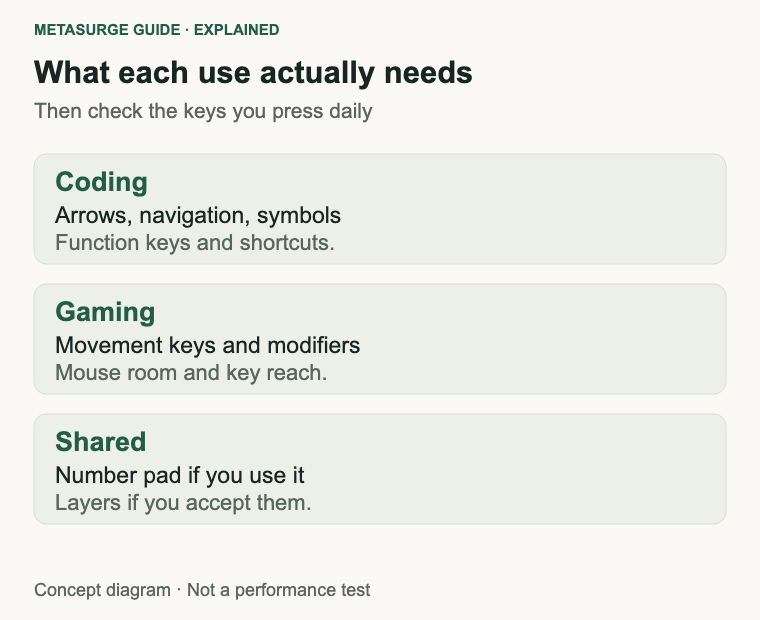
Write down the shortcuts you use in your main applications. Coding editors lean on function keys, bracket keys and navigation combinations; games lean on number rows, function keys and sometimes a numpad for camera or vehicle controls. A shortcut you use once a week is easy to replace. One you use every few minutes is a strong argument for keeping the key.
Desk space is the other half of the decision. Measure the width you can give the keyboard and the space your mouse needs to move. A wide board plus a large mouse mat can push the mouse into an awkward position, especially on a small desk. A narrower board can bring the mouse closer to your body, which some people find more comfortable.
Hand size and reach matter too. A compact board can place the mouse closer, but a very dense layout can make arrow keys and function keys harder to find by touch. Try a key map printout at full size, or borrow a board for a day, before committing to a layout you have never used.
Allow for an adjustment period. Muscle memory for the number pad or the navigation cluster can take a week or two to fade, and it may never disappear if you switch between a work keyboard and a personal one. A layout that suits one desk can feel wrong on another, so treat the first week as part of the test rather than proof you chose badly.
| Key group | Who tends to notice its absence |
|---|---|
| Number pad | Spreadsheet, accounting, data-entry and some game bindings |
| Arrow keys | Almost everyone who edits text |
| Navigation cluster | Long documents, code navigation, file managers |
| Function row | Editors, games, media controls and system shortcuts |
| Macro or media keys | Repetitive workflows, streaming and volume control |
What full-size, tenkeyless and 75% change
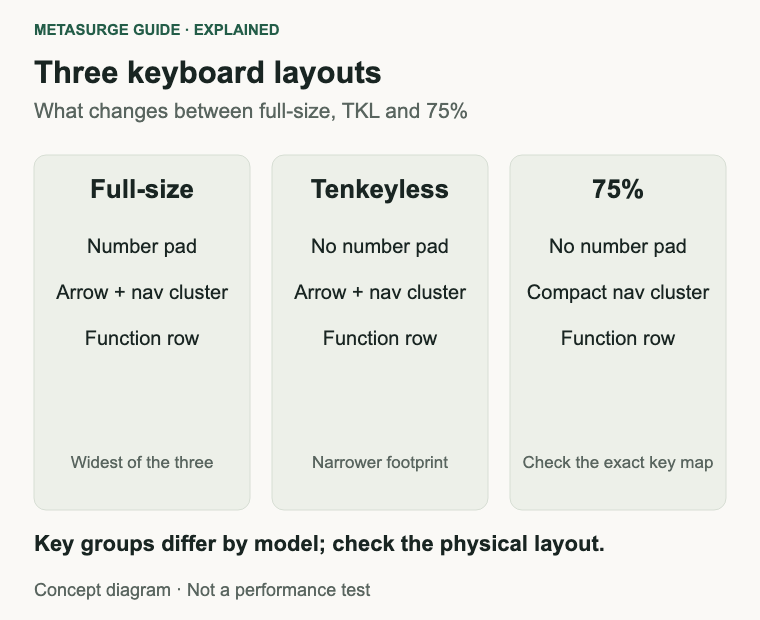
A full-size keyboard, often described as 100%, includes the main typing area, the navigation cluster, the arrow keys, the function row and a number pad. Keychron documents its R6 as a 100% full-size ANSI layout, for example. The advantage is that almost every key has a dedicated place. The cost is width, and a number pad you may never touch.
A tenkeyless board, usually shortened to TKL, removes the number pad and keeps the rest. You still get the arrow keys, the navigation cluster and the function row. The board is roughly a number pad narrower than its full-size equivalent, which is often enough to change how a desk feels. Keychron’s K8 Pro is one example of a tenkeyless design.
A 75% board removes the number pad and compresses the arrow and navigation keys into a tighter cluster, usually while keeping the function row. The exact arrangement varies between models, which is the trap. Some 75% boards keep dedicated arrow keys and a compact navigation column; others push more functions onto layers. Check the key map rather than assuming the label tells the whole story.
Smaller layouts exist below 75%. A 65% board usually keeps arrow keys but drops the function row, and a 60% board drops both. Those can be excellent for a minimal desk, but they demand more layer use. If you are new to compact boards, 75% or TKL is a gentler step.
Regional variants matter as well. ANSI and ISO layouts differ in the shape of Enter, the left Shift key and the extra key beside it. Buyers should confirm the physical variant and the key legends rather than relying on a product photo.
Coding: shortcuts, arrows and the number pad
Coding is not one workflow. Some developers spend the day in a terminal and an editor, using arrow keys, navigation shortcuts and symbol keys. Others work with data, financial models or hardware addresses where the number pad is genuinely faster. Both are legitimate, and neither is more professional.
Arrows and navigation keys are the usual sticking point. A TKL keeps them all in their familiar places, which makes it the least disruptive compact choice. A 75% board can require a function combination for Home, End, Page Up or Page Down. That is fine if you rarely use them and frustrating if you navigate long files constantly.
Function keys are another consideration. Editors, debuggers and window managers bind actions to F-keys, and a layout that requires a layer for them can slow a shortcut you use dozens of times a day. Programmable firmware helps: QMK and VIA, for example, let you remap keys and build layers on supported boards. Logitech’s MX Mechanical range uses its own software for customisation. Check that your chosen model supports the remapping you want, rather than assuming every mechanical keyboard is equally programmable.
A number pad can be replaced with an external one. That gives you the numeric keys when you need them and a narrower board the rest of the time. The trade-off is another device on the desk, another cable or battery, and a slightly less tidy setup.
There is no evidence that one layout makes someone a better programmer, and it would be silly to claim one. The practical test is whether the keys you use most are reachable without looking and without a layer you have to remember.
Gaming: mouse room, key reach and macro needs
Gaming discussions often treat a smaller keyboard as an automatic upgrade. The real benefit is mechanical: a narrower board leaves more room for the mouse, and it can bring the mouse hand closer to the keyboard hand. That matters most for players who use low sensitivity and large mouse movements. It matters much less for someone playing with a high sensitivity on a generous desk.
Key reach is related but separate. A compact board can let you angle the keyboard or place it further left, which some players prefer for a straighter forearm. A full-size board pushes the mouse further away unless you offset the keyboard. Neither arrangement is inherently better; both are about the space you have.
Games that use the number pad are the obvious exception. Flight simulators, some strategy titles and games with custom bindings can make a full-size board genuinely useful. A 75% board may still cover those binds through layers, but you have to set them up and remember them.
Function keys and macro keys deserve a check. Some games bind actions to F-keys, and some players rely on macro software for repetitive actions. A 75% layout that keeps the function row is usually easier for those cases than a 60% board. Macro support itself depends on the keyboard’s software and, in competitive settings, on the rules of the event.
Do not expect a layout to change your reaction time. It changes where your hands and mouse can sit, and how easily you can reach a key. Those are real factors, but they are setup factors, not performance guarantees.
Choose a layout you can live with
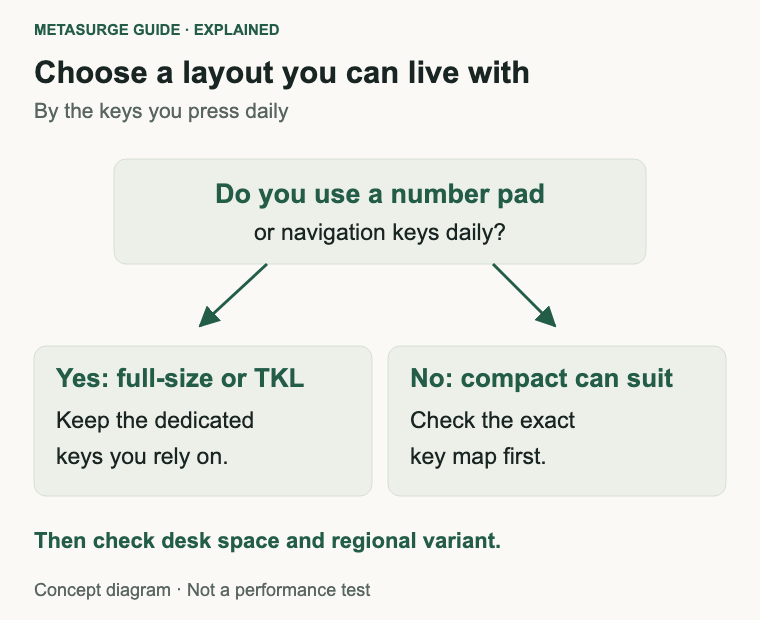
Start with the number pad question. If you use it daily for work, choose full-size or plan an external number pad. If you use it occasionally, a TKL or 75% board plus a separate pad is a reasonable compromise. If you rarely touch it, removing it is an easy win.
Next, decide whether you need dedicated navigation keys. If you use Home, End and Page Up constantly, TKL is the safer compact choice. If you are comfortable with layers, 75% can work well. If you never use them, 65% or 60% may suit you, though the learning curve is steeper.
Then check the mouse space. Put a tape measure on the desk and mark the width of your current keyboard. Compare that with the width of the layout you are considering. Leave enough room for the mouse movements you actually make, not an idealised esports setup.
Finally, check the details that are easy to overlook: the exact key map, the regional variant, whether the board supports the remapping you want, and whether replacement keycaps or accessories are available. A hot-swappable board lets you change switches, but it does not change the layout. Those are separate decisions.
If you are unsure, a TKL is the least risky step away from full-size. It keeps the familiar key groups and removes only the number pad. A 75% board is a better second step once you know you can live without dedicated navigation keys.
Frequently asked questions
Is tenkeyless better for gaming?
Not automatically. A TKL frees desk space for the mouse, which can help players who use large movements. If you already have enough room, or you use number-pad bindings, the advantage may be small or irrelevant.
Do programmers need a number pad?
No. Many programmers never use one, and shortcuts or an external pad can cover occasional numeric entry. If your work involves regular data entry, a number pad can still be the faster choice.
Can I add a number pad to a 75% keyboard?
Yes, if you buy a separate USB or wireless number pad. Check that it works with your computer and that you have a spare port or a reliable wireless connection. It will not integrate with the keyboard’s layers unless the software supports it.
What is the difference between 75% and TKL?
A TKL removes the number pad but keeps the full navigation cluster and arrow keys. A 75% board removes the number pad and compacts the navigation and arrow keys, usually retaining the function row. The exact arrangement varies by model.
Relevant examples to explore
Editorial examples, separate from Best Sellers rankings. Within each group, products are ordered by Amazon Best Sellers position captured 17 October 2026; positions can change.
As an Amazon Associate MetaSurge Guide earns from qualifying purchases. Check current details, price and availability on Amazon before buying. Country detection by DB-IP.
Sources and editorial approach
This guide uses manufacturer documentation for the Keychron R6, the Keychron K8 Pro, the Logitech MX Mechanical Mini and the Logitech MX Mechanical, plus Microsoft’s Windows keyboard shortcuts reference, checked on 17 October 2026. Layout names vary between manufacturers and models. Scenarios are editorial reasoning, not measured productivity or gaming tests. Product examples are illustrative and not ranked.
Where to go next
Browse the Keyboards guide to compare layouts, key maps and connection options. Check the exact model’s documentation before buying, particularly if you rely on a number pad or a specific navigation key.