
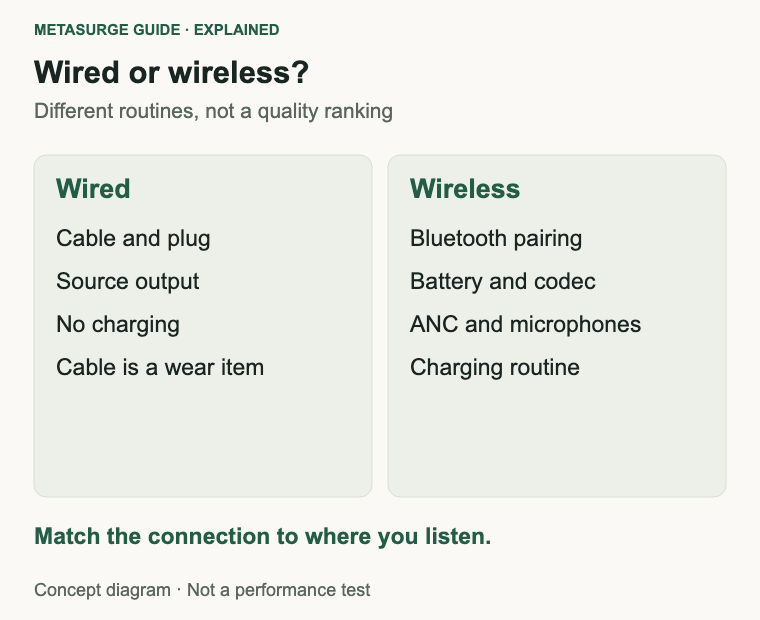
Wired over-ear headphones are the simpler choice for a fixed listening spot: no battery, no pairing and no codec between you and the source. Wireless headphones are the simpler choice for moving around the house, taking calls or using noise cancelling without a cable. Both can sound excellent, and the right answer depends on where and how you listen.
This is not a quality contest. A well-made wireless pair can be more convenient and more suitable for a noisy home, while a wired pair can be cheaper to own and easier to keep working for years. The useful comparison is the whole routine: what you plug into, how often you charge, whether you need a microphone and how much latency you can tolerate.
What each connection actually requires
A wired connection needs a cable and a compatible output. That may be a 3.5 mm jack, a 6.35 mm adapter, a USB-C port or an interface with its own headphone output. The source has to supply enough voltage for the headphones to reach a comfortable level. The cable can be a wear item, and a detachable cable is easier to replace.
Adapters and outputs are easy to overlook. A 6.35 mm adapter, a USB-C dongle or a monitor’s headphone jack can change the level and the noise floor. If the sound is quiet or noisy only through one path, test another output before blaming the headphones.
Wired headphones do not need charging, pairing or an app. They work with anything that has a suitable output, including older equipment. The trade-offs are the cable itself, potential cable noise when it rubs on clothing, and the need to sit within reach of the source or use an extension.
A wireless connection needs a Bluetooth link, a charged battery and a source that supports the relevant codecs and profiles. Pairing, multipoint switching and app-based settings vary by model. Range and interference depend on the building, the source and the number of wireless devices nearby.
Wireless headphones often add features that are separate from the connection: noise cancelling, microphones, controls and companion apps. Those features can be useful, but they also add complexity and another set of settings to check. A wireless model is not automatically better at noise cancelling, and a wired model is not automatically better at sound.
| What you need | Wired | Wireless |
|---|---|---|
| No charging routine | Yes | No |
| Freedom to move around | Limited by cable | Yes, within range |
| Built-in microphone and controls | Model-dependent | Common |
| Noise cancelling | Rare | Common |
| Works with older equipment | Usually, with the right plug | Needs Bluetooth support |
| Replaceable cable | Often | Rare |
Sound, codecs and latency
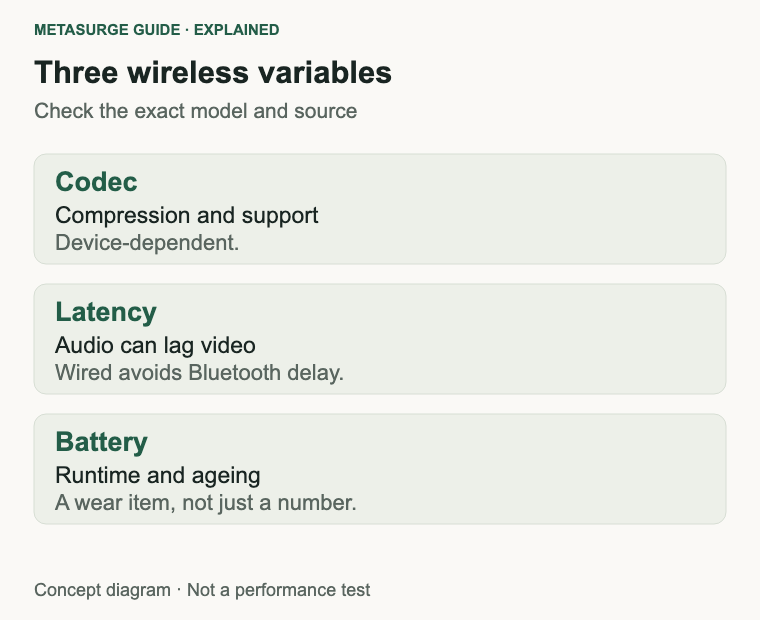
Bluetooth audio is compressed before it reaches the headphones. The codec and its implementation determine how much data is sent and how the headphones decode it. SBC is the baseline, AAC is common on Apple devices, and LC3 and LE Audio are newer options with efficiency and latency benefits. Support depends on both the headphones and the source.
The presence of a codec on a specification sheet does not guarantee that your phone or computer will use it. The source must support it, the connection must negotiate it, and the headphones must implement it well. A wired connection avoids this negotiation entirely, which is one reason some listeners prefer it for critical listening.
Codec support also depends on the operating system and the app, not just the hardware. Two phones with the same headphone can negotiate different codecs, and a laptop’s Bluetooth stack may behave differently again. Check what your own devices actually use rather than assuming the best available codec is active.
Latency is the other practical difference. Bluetooth audio can introduce a delay between the picture and the sound, which matters for video, games and lip-sync. Some codecs and modes reduce it, and some devices compensate automatically, but the result varies. A wired connection has no Bluetooth latency, although the source and any processing can still add a small delay.
Do not assume that wired always sounds better. A wired headphone can be poorly matched to a weak output, and a wireless headphone can have a tuning and noise-cancelling system that suits your environment better. The connection is one part of the system, along with fit, source quality and the recording.
LE Audio is worth understanding if you are buying new equipment. The Bluetooth SIG describes it as an enhancement that supports new audio features and more efficient transmission. Whether you benefit depends on both ends supporting it, so treat it as a compatibility question rather than a guarantee.
Battery, charging and long-term ownership
A wireless headphone carries a battery that will age. Runtime on one charge is the headline figure, but the more useful questions are how long a charge lasts in your routine, how convenient charging is, and what happens when the battery degrades. Some models offer service or replacement; others are effectively sealed.
Charging habits matter. A headphone that lives on a desk can be topped up easily; one that travels in a bag may run flat at an inconvenient time. Check the charging port, the cable and whether the model supports charging while listening. A quick-charge feature can be useful, but it does not change the long-term capacity trend.
Charging while listening is convenient but not universal. Some models allow it, some do not, and some limit features while charging. Check the manual if you plan to use the headphones plugged in for long sessions, and avoid leaving a fully charged battery in a hot place.
Wired headphones avoid the battery entirely, but they still have wear items: cables, pads and connectors. A detachable cable is a practical advantage because it can be replaced without service. Pads wear on both wired and wireless models, and replacement availability varies.
Ownership cost is not just the purchase price. Consider replacement pads, cables, batteries and any service arrangements. A cheaper wired pair with available spare parts can be cheaper to keep than a wireless pair with a sealed battery, while a wireless pair may replace several other devices if it handles calls and noise cancelling well.
Fit the connection to your room and routine
In a quiet room at a desk, a wired open-back headphone can be an excellent choice. It avoids charging and codecs, and open-back designs often suit long listening sessions because they feel less enclosed. The trade-off is sound leakage and less isolation from the room.
In a shared or noisy home, a closed-back wireless headphone with noise cancelling can be more practical. It reduces room noise, keeps more sound in and lets you move around. The cost is battery management, possible latency and a more complex feature set.
Leakage is part of the room decision. Open-back headphones can be heard by people nearby, while closed-back designs keep more sound in. If you listen in a shared space, the people around you may prefer a closed-back pair even if you do not need noise cancelling.
For calls and meetings, a built-in microphone and controls are useful. Check microphone quality and how the headset handles switching between the computer and a phone. A wired headset with a boom microphone can be a better fit for long calls, while a wireless headset is more convenient for moving around.
For television and video, latency deserves attention. If the sound lags the picture, a wired connection or a low-latency wireless mode may be better. Test the actual pairing rather than assuming a codec will solve it.
If you use several devices, multipoint support can matter more than the connection type. A headphone that switches cleanly between a laptop and a phone may be more useful than one with a slightly better cable. Check the model’s documented behaviour.
Choose by listening habit, not the cable
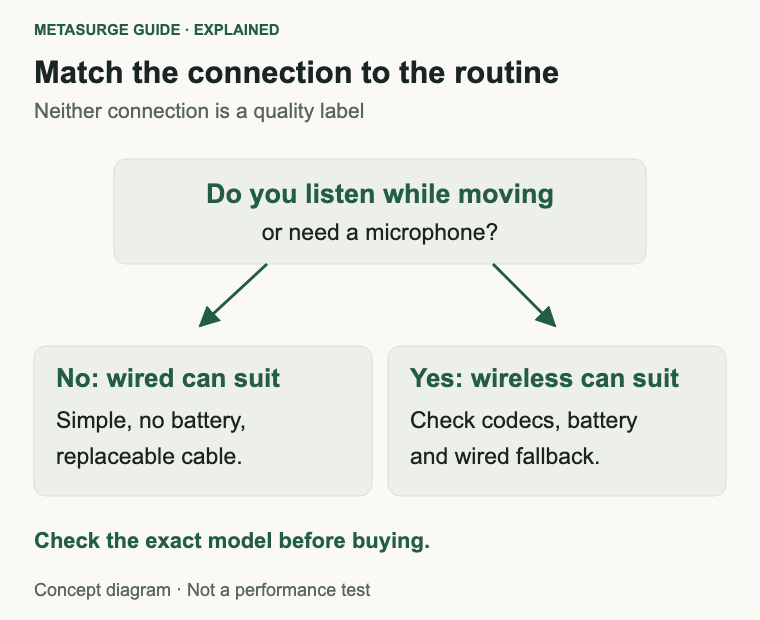
Start with the routine. If you listen at a desk, rarely move and do not need a microphone, a wired pair is a sensible default. It is simple, has no battery to manage and can last a long time with replaceable parts.
If you listen while moving around the house, take calls or want noise cancelling, a wireless pair is the more practical choice. Check battery life in the mode you will use, the charging arrangement, the codecs your devices support and whether the model offers a wired fallback.
If you cannot decide, look for a wireless model with a usable wired mode, or a wired model with a detachable cable and a comfortable fit. A wired mode on a wireless headphone may require power, so confirm how it behaves before relying on it.
The two examples illustrate the paths rather than a ranking. The Sennheiser HD 560S is a wired open-back over-ear headphone documented at 120 ohms. The Sony WH-CH720N is a closed-back wireless noise-cancelling model. They differ in design, fit and features, so the comparison is about use cases, not a controlled sound test.
Consider the whole cost of ownership: purchase, pads, cables, battery service and the source equipment you need. The cheapest option at checkout is not always the cheapest over several years, and the most expensive option is not automatically the most suitable.
Try both if you can. A friend’s wired pair, a store demo or a return window can tell you more about comfort and convenience than a specification table. Pay attention to how often you reach for the cable, how the pads feel after an hour and whether you miss the freedom to walk away.
Frequently asked questions
Do wireless headphones sound worse than wired?
Not inherently. Bluetooth compression and implementation can affect the result, but tuning, fit and noise cancelling matter too. A good wireless pair can sound excellent, and a poorly matched wired pair can disappoint.
Can wireless headphones be used with a cable?
Some models include a wired mode, but it may require power, bypass noise cancelling or behave differently from a pure wired design. Check the exact model’s documentation before relying on it.
Is Bluetooth latency a problem for television?
It can be, depending on the headphones, the source and the codec. If lip-sync matters, test the actual pairing or use a wired connection. Some devices offer low-latency modes, but support varies.
Do wired headphones need an amplifier?
Not necessarily. It depends on the headphone’s impedance and sensitivity and on the source’s output. Many headphones reach a comfortable level from a phone or laptop; harder-to-drive models may benefit from a dedicated output.
Relevant examples to explore
Editorial examples, separate from Best Sellers rankings. Within each group, products are ordered by Amazon Best Sellers position captured 17 October 2026; positions can change.
As an Amazon Associate MetaSurge Guide earns from qualifying purchases. Check current details, price and availability on Amazon before buying. Country detection by DB-IP.
Sources and editorial approach
This guide uses Sennheiser’s HD 560S documentation, Sony’s WH-CH720N documentation, the Bluetooth SIG’s LE Audio overview and Microsoft’s audio output guidance, checked on 17 October 2026. Product examples illustrate connection types and are not ranked. No measured sound, latency or battery comparisons are claimed.
Where to go next
Browse the On-Ear and Over-Ear Headphones guide to compare connections, noise cancelling and support. Match the headphones to your room, your devices and your charging routine, rather than treating the cable as a quality label.