
The short answer
Latency still matters, especially for fast competitive games, but a cable no longer tells you which mouse will be more responsive. A well-designed gaming mouse using its dedicated wireless receiver can offer low latency. Bluetooth is a separate mode with different priorities and shouldn’t be treated as equivalent to a gaming receiver.
For office work, start with shape, reliable tracking, scrolling and the connection your computer supports. For gaming, compare the exact model and mode, then consider weight, grip and power. If your current mouse feels responsive and stays connected, replacing it purely to remove or add a cable is unlikely to be the most useful upgrade.
Wired, receiver and Bluetooth are three choices
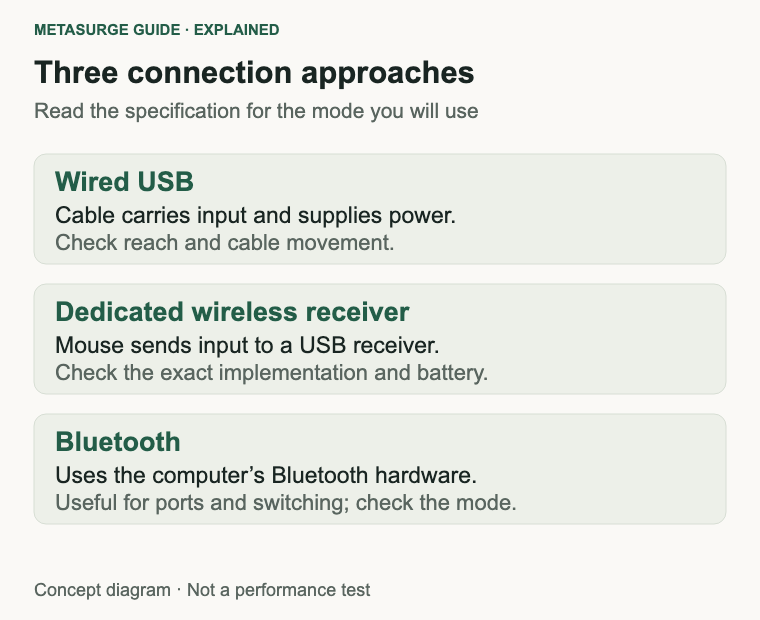
A wired mouse sends input through its USB cable and draws power from the computer. There’s no radio link or mouse battery to maintain during normal use. You still need an appropriate port, and the cable can get in the way if it catches on the desk.
A receiver-based wireless mouse sends input to a USB receiver, often using a proprietary link in the 2.4 GHz band. Gaming implementations can be designed around frequent reports and low delay. The words “2.4 GHz” alone don’t prove gaming-grade responsiveness; an ordinary office receiver and a performance gaming receiver are not automatically interchangeable.
Bluetooth connects to the computer’s Bluetooth hardware without a dedicated mouse receiver. That is convenient for a laptop with limited ports or for switching devices. On a mouse offering both Bluetooth and a gaming receiver, check which mode the performance claims describe. Don’t assume the highest polling rate is available through every connection.
Some wireless mice also support wired data through their charging cable. Others only charge through it and still send input wirelessly. If you want a cable as a fallback, look for explicit wired operation in the manual. A USB-C socket is not proof of a wired input mode.
What mouse latency actually means
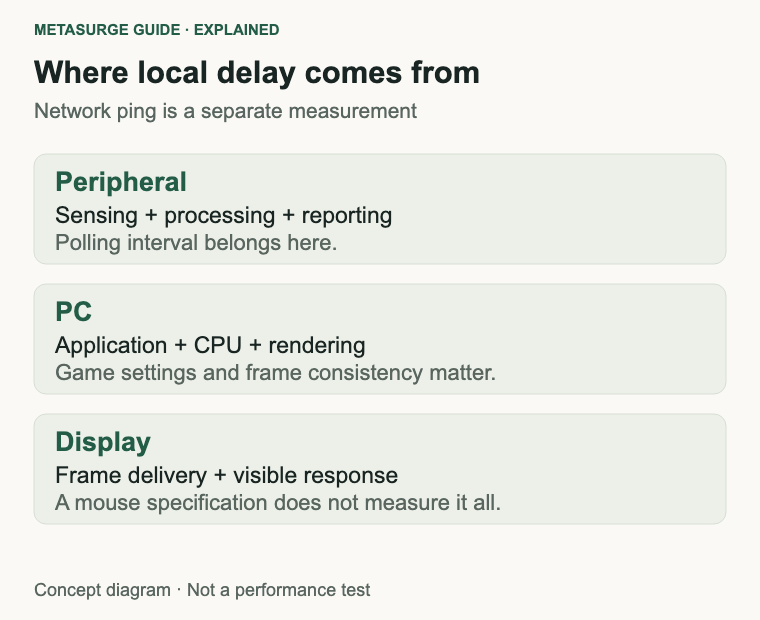
Latency is a delay between an action and its result. For a mouse, moving or clicking starts a chain involving sensing, internal processing and sending the report to the computer. The computer then processes the input and an application decides what to do with it.
In a game, CPU processing, rendering and the display add more delay before you see the result. NVIDIA describes system latency in terms of peripheral, PC and display stages. That distinction matters: a mouse specification covers only part of what you experience on screen.
Network latency is different again. Ping concerns communication with a server, rather than how quickly the mouse reports to your own computer. Changing the mouse won’t directly fix a slow internet connection. If the cursor feels fine locally but an online game responds poorly, investigate the game, frame rate and connection before blaming the wireless mouse.
Ask what a quoted latency measurement starts and ends with. Movement latency, click latency, USB report timing and total click-to-display delay are related but different measurements. Comparisons are most useful when they measure the same thing, in the same mode, under comparable conditions.
Polling rate is an interval, not a complete benchmark
Polling rate tells you how often the mouse can report to the computer, expressed in hertz. At 125 Hz, the nominal interval between reports is 8 milliseconds. At 1,000 Hz it is 1 millisecond, and at 8,000 Hz it is 0.125 milliseconds. These are calculated as 1,000 divided by the rate, with the result in milliseconds.
Those intervals are not the total latency of the mouse, and certainly not the total delay to a visible response. Processing, timing and the rest of the system still matter. A mouse advertising 1,000 Hz isn’t promising that every click becomes a visible change exactly one millisecond later.
Higher rates can provide more frequent position updates, but the gain depends on the mouse, game, frame rate and display. They can also increase the work the computer has to do. Razer’s high-polling guidance specifically discusses CPU limitations, game compatibility and lowering the rate when troubleshooting stutter.
For most buyers, maximum polling rate should be a check rather than the whole decision. Confirm that the advertised setting works in your preferred mode and whether it requires a separate receiver. If a higher setting makes a game less consistent on your system, use a stable supported setting instead of keeping the largest number selected.
When wired makes practical sense
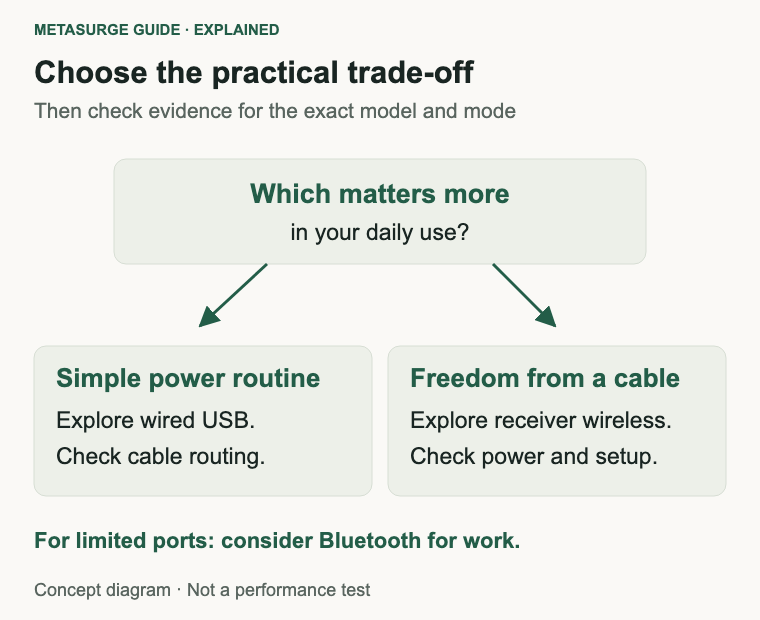
Choose wired if you want a simple power routine and don’t mind the cable. It removes receiver placement and radio conditions from the connection question. A straightforward wired model can also be an attractive starting point when you would rather spend the budget on a shape and buttons that suit you.
Check cable routing before checkout. Your USB port might sit behind a tower, on a dock or on the opposite side of a laptop. Make sure the cable can reach without pulling on the mouse. Leave enough slack for your normal movement, especially if you use low sensitivity and move across a wide area.
A cable guide or bungee can help keep the cord away from the playing surface, but that is an extra accessory to consider. Don’t assume you need it immediately. First arrange the cable so it doesn’t catch on the desk edge or collide with the keyboard.
Wired does not mean every model has excellent sensing or low click latency. A cheap or poorly implemented wired mouse can still perform badly. Compare actual evidence if performance is central to your purchase, and reject a shape that feels awkward even if the connection is uncomplicated.
When wireless earns its place
Wireless is useful when the cable interrupts movement or you regularly move between workspaces. A receiver-based gaming mouse lets you investigate low-latency performance without committing to a cable. The trade-off is managing power and keeping track of a small receiver.
Check whether the mouse uses a replaceable battery or an internal rechargeable one. Decide which routine suits you: keeping a spare, plugging it in periodically or using a supported charging system. Battery life claims depend on settings; a high polling mode or lighting may change the runtime quoted under another configuration.
For work, Bluetooth may be enough and can free a USB port. Multi-device switching, quiet clicks or a useful scroll wheel may matter more than a gaming report rate. Check software compatibility if you want programmable buttons. Basic pointer operation doesn’t guarantee access to every customisation feature on your operating system.
For competitive gaming, start by checking a dedicated receiver mode and evidence for that mode. This is an editorial starting point, not a finding that every Bluetooth mouse is unsuitable or every receiver mouse is fast. Manufacturers such as Logitech explicitly distinguish their gaming wireless connection from Bluetooth flexibility on dual-mode products.
Receiver placement and interference
Put the receiver where the manufacturer recommends. A receiver hidden behind a metal computer case or surrounded by other equipment can create a different radio environment from one placed near the mouse. If an extension adapter is supplied, it may let you move the receiver without moving the computer.
Active USB 3 hubs can generate noise affecting nearby 2.4 GHz wireless devices. Razer’s guidance advises separating its wireless receiver from these hubs and keeping a clear path to the mouse. Apply the instructions for your own model rather than treating one brand’s specified distance as a universal rule.
If tracking becomes inconsistent, move the receiver, check the battery and try another suitable port. Test one change at a time. A connection that improves when the receiver is moved suggests a setup issue worth resolving before buying another mouse.
Don’t treat every pointer jump as wireless lag. A dirty sensor, an unsuitable surface, a software setting or an overloaded application can also change how the pointer behaves. Check the basics so your comparison is actually about the connection rather than two different desk conditions.
Shape, weight and sensitivity still matter
Try whether you can reach the main buttons and scroll wheel without shifting your grip. Notice how you lift the mouse, where your thumb rests and whether the shell fits the way you hold it. A symmetrical appearance doesn’t necessarily mean all side buttons work equally well for left-handed use.
Weight is a preference to assess with your movements, rather than a universal smaller-is-better rule. A light gaming shell, a heavier productivity mouse and a compact travel mouse solve different problems. Don’t give up the buttons or scroll behaviour you use daily merely to chase a headline weight.
DPI describes how sensor movement is translated into reported counts, affecting sensitivity together with software settings. It is not a latency score. Match sensitivity when comparing two mice; otherwise one can feel quicker simply because the pointer moves further for the same hand movement.
A quick check before spending more
- Identify the exact connection mode you use now.
- Check the battery or cable, sensor cleanliness and desk surface.
- Move a wireless receiver according to the manufacturer’s instructions.
- Compare at the same sensitivity, in the same application.
- For gaming, check frame-rate consistency and supported polling settings.
- Choose the shape, controls and power routine you can live with.
For wired vs wireless mouse latency in 2026, the useful decision is model plus mode plus setup. Choose wired for its practical simplicity or receiver wireless for cable freedom, using evidence about the actual product. You don’t need to dismiss either whole category to make a good choice.
Frequently asked questions
Is a wireless gaming mouse necessarily slower?
No. Modern dedicated receiver implementations can deliver low latency. Compare the specific mouse and connection mode rather than assuming a cable settles the question.
Is Bluetooth the same as 2.4 GHz gaming wireless?
No. They are different connection approaches. On a dual-mode mouse, check which mode supports the advertised polling rate and performance features.
Does 1,000 Hz mean one-millisecond total latency?
No. One millisecond is the nominal interval between reports at that rate. Internal processing and the computer-to-display chain still contribute delay.
Will a new mouse fix high ping?
Not directly. Server communication and local mouse input are different parts of the experience. Investigate the network and game if local pointer behaviour is already normal.
Relevant examples to explore
Editorial examples, separate from Best Sellers rankings. Within each group, products are ordered by Amazon Best Sellers position captured 17 October 2026; positions can change.
As an Amazon Associate MetaSurge Guide earns from qualifying purchases. Check current details, price and availability on Amazon before buying. Country detection by DB-IP.
Sources and editorial approach
The latency explanation uses NVIDIA’s system latency guide. Mode distinctions use Logitech’s dual-wireless documentation; polling and setup checks use Razer’s HyperPolling guidance. Sources checked on 13 October 2026. Reporting intervals are arithmetic, not measured results. Buying advice is editorial interpretation; MetaSurge has not benchmarked these mice.
Where to go next
Compare options in the MetaSurge mouse category using your preferred connection, shape and controls. The examples above show a wired model and a receiver-based wireless model without declaring either a latency winner.