
Replace earpads when they are cracked, flaking, flattened, torn or no longer seal around your ears. There is no reliable calendar interval that applies to every pair, because foam, covering material, climate, hair products and hours of use all affect wear. Judge the pads by their condition and by how they feel and sound, not by how old the headphones are.
An ageing pair is a broader question. Worn pads are often replaceable and relatively cheap to fix. Battery ageing, a damaged cable, a cracked headband or a failing driver may point to service or replacement. The useful sequence is to deal with the pads first if they are the problem, then decide whether the rest of the headphone still meets your needs.
Know when pads are worn, not just old
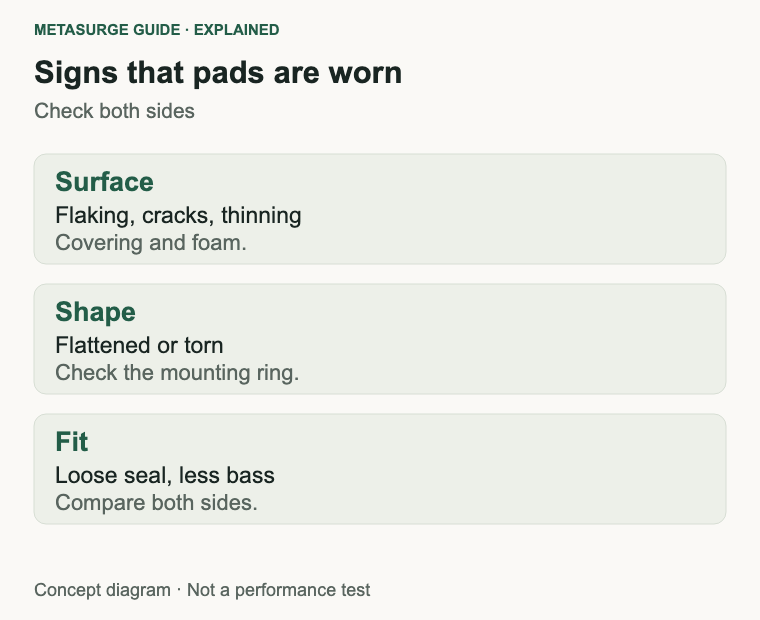
The first sign is usually the covering. Synthetic leather can flake, peel or crack; velour can mat or wear thin; foam can flatten and lose its spring. A pad that has lost its shape may still look intact, but it no longer seals the same way.
Fit changes are a strong clue. If the headphones used to sit securely and now feel loose, or if you have to adjust them more often, the pads may have compressed. A poor seal reduces bass and can make the headphones sound thinner or quieter, which is easy to mistake for a driver problem.
The pad is part of the acoustic design, not just a cushion. Its material, thickness and the way it compresses against your head change how the headphone couples to your ear. That is why a new pad can make a familiar pair sound slightly different, and why a worn pad can make a good pair sound weak.
Comfort and hygiene matter too. Worn pads can become scratchy, sticky or uncomfortable against the skin, and they can hold sweat, oils and hair products. If cleaning no longer refreshes them, replacement is reasonable. Persistent skin irritation around the ears is a reason to stop wearing them and, if it continues, to seek health advice.
Inspect the mounting area as well. A pad that is coming away from its ring or clip can be reattached if the parts are intact, but a torn mounting ring may need a replacement pad or service. Do not force a pad back into place if the plastic is cracked.
Look at both pads, not just the one that feels wrong. Wear is often uneven, and a pair that has been used with glasses or on one side may compress differently. If one pad is failing, replacing the pair keeps the fit and sound balanced.
Clean before you replace. Follow the manufacturer’s instructions for the material; some pads can be wiped with a damp cloth, while others should not be soaked. Avoid solvents and harsh cleaners. If the foam is crumbling, cleaning will not restore it.
Decide whether pads are user-replaceable
Some headphones are designed for user-replaced pads. Sennheiser, for example, sells velour earpads for its HD 500 series as a spare part, describing them as one pair for open-back models. That is a practical ownership advantage: the pads are a consumable you can order and fit yourself.
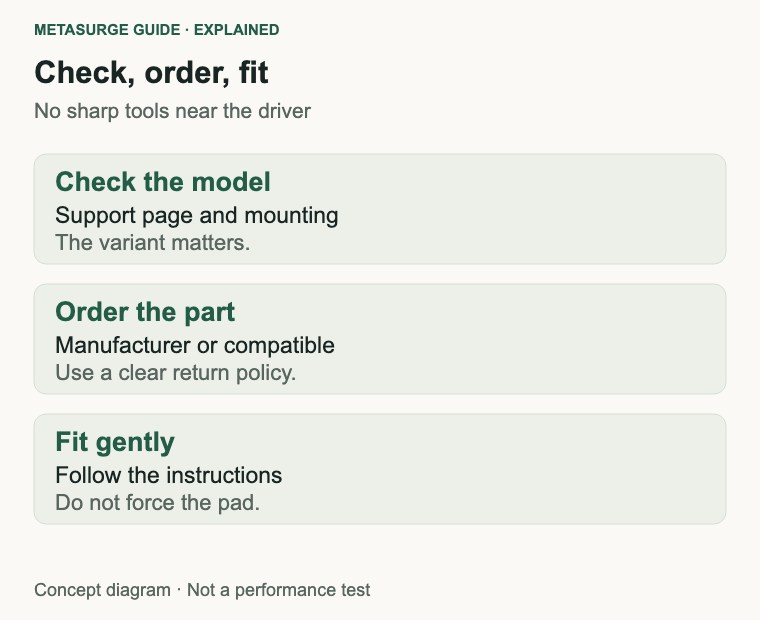
Other models use adhesive, clips or a ring that may require a specific tool or procedure. Some manufacturers publish model-specific instructions; others expect service. Check the exact model’s support pages and spare-parts availability before ordering anything. A generic “universal” pad is unlikely to fit a specific housing properly.
Check how the pad attaches before ordering: a lip that tucks into a groove, a plastic ring, a bayonet fitting or an adhesive sheet. The same brand can use different systems across models. If the listing does not show the mounting method, ask the seller or buy from a source with a clear return policy.
Third-party pads are an option, but they are not equivalent by default. A different foam density or covering can change comfort, seal and sound. A pad that fits the housing but not the mounting ring can come loose. If you care about keeping the original sound, prefer the manufacturer’s part or a reputable compatible option with a clear return policy.
Check the part number and the model variant. Headphones often have several versions with different pads, and a pad for one variant may not fit another. The product name in a listing is not always enough; look for the model number and the mounting method.
Replace and refit without damaging the pads
Read the manufacturer’s instructions first. The procedure may involve pulling the pad away from a ring, sliding a lip over a flange, or releasing a clip. Some pads are held by a thin plastic ring that must be aligned before the pad is pressed home.
Work gently and use the recommended tools. A plastic spudger or your fingers are usually safer than a screwdriver or knife. Do not push sharp objects through the pad or into the housing, and do not touch the driver. A punctured driver membrane is not a pad problem.
Clean the mounting surface before fitting the new pad. Remove dust and old adhesive if the instructions call for it, but avoid solvents that could damage the plastic. Align the pad before pressing it into place, and check that the lip is seated evenly all the way around.
Test the fit before reassembling everything. Put the headphones on, check the seal and listen for a difference in bass and isolation. A pad that is not seated can leak sound and feel loose. If the pad will not sit correctly, stop and check the part number or ask for help rather than forcing it.
Keep the old pads if they are still usable as a spare, or dispose of them according to local waste guidance.
Some pads are held by adhesive and need careful removal; others simply pull off. Follow the model’s instructions, and let any cleaned or washed parts dry completely before refitting. Moisture trapped between the pad and the housing can cause odour or irritation. Do not wash a foam pad that is already crumbling; it will not recover.
Look beyond pads: battery, cable and headband
Worn pads are only one part of an ageing headphone. Wireless models also depend on a battery that can lose capacity over time. If runtime has fallen sharply, check charging behaviour and the manufacturer’s battery or service arrangements before blaming the pads. A firmware reset will not restore chemical capacity.
Cables and connectors are another wear item. A detachable cable can be replaced; a fixed cable may need service. Intermittent sound when the cable moves is a cable or jack symptom, not a pad symptom. Test with another cable if the model allows it.
The headband can crack, the sliders can loosen and the hinges can become stiff. Some parts are replaceable; others are not. Check the model’s spare-parts list. A headband repair may be worthwhile if the rest of the headphone is sound, but it can also approach the cost of a new pair.
Clean the headband and sliders as well. Oils from hair and skin can make the surfaces sticky, and dust can collect in the hinges. Use a method the manufacturer approves for the material, and avoid getting moisture into the drivers or electronics.
Driver faults sound different from pad wear. A rattle, buzz or distortion at normal volume, especially on one side, is not fixed by new pads. If the fault persists after fitting known-good pads, ask for a diagnosis rather than continuing to change consumables.
Choose repair, replacement or a spare pair
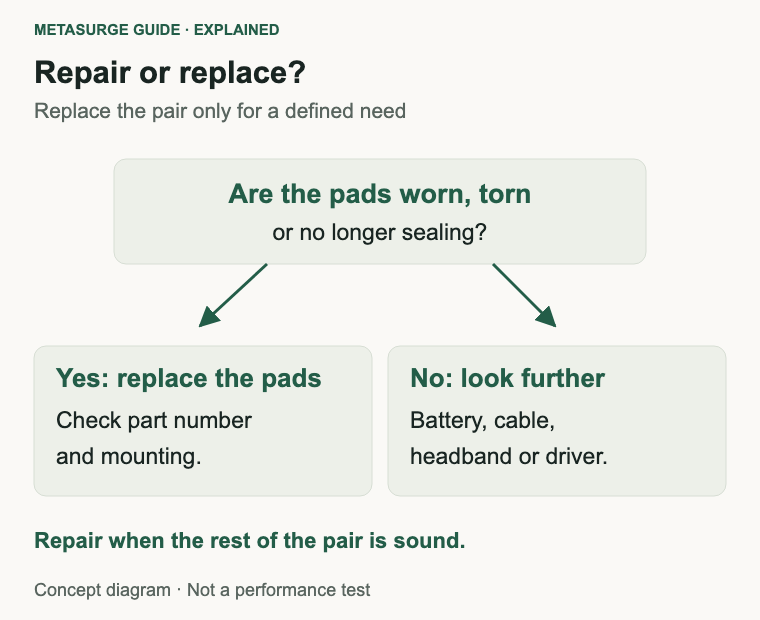
Repair makes sense when the fault is a consumable or a replaceable part, the rest of the headphone is in good condition and the cost is clearly lower than a suitable replacement. New pads, a cable or a battery service can extend the life of a pair you already like.
Replacement makes sense when several faults appear together, the repair is unavailable or uneconomic, or the headphone no longer meets your needs. A newer model is not automatically better; compare fit, connection, support and the availability of spare parts.
A spare pair can be useful if you rely on headphones for work or calls. Keep a working pair as a backup if you have space and can maintain it, but do not keep a failing pair in service just because it still turns on. Test the spare occasionally so it is ready when needed.
Warranty and repair economics deserve a quick check. A repair that is covered or reasonably priced can keep a good pair in service, while an expensive repair on an old pair may not be worth it. Ask for a quote and compare it with the cost of a suitable replacement, including pads and cables.
If you retire a pair, use a suitable electronics recycling route and follow any account or pairing removal instructions. Delete the device from your phone or computer so it does not interfere with a replacement.
Keep a note of the model number and the pad or part numbers you ordered. That record makes the next replacement easier and helps if you sell or give the headphones away. Good documentation is part of getting years of use from a pair rather than treating it as disposable.
Frequently asked questions
How often should earpads be replaced?
There is no universal interval. Replace them when they crack, flake, flatten, tear or stop sealing, or when cleaning no longer makes them comfortable. Hours of use and materials matter more than age.
Can I wash earpads?
It depends on the material and the manufacturer’s instructions. Some removable pads can be wiped or gently washed; others should not be soaked. Check the model’s guidance and let pads dry fully before refitting.
Do third-party earpads change the sound?
They can. A different foam density, covering or seal changes how the headphone couples to your ear, which can affect bass and isolation. Fit and mounting also vary. Keep the original pads if you want to compare.
When should I replace the headphones instead of the pads?
Consider replacement when several parts are failing, the repair is unavailable or uneconomic, or the headphone no longer meets your needs. New pads are worthwhile when the rest of the pair is sound.
Relevant examples to explore
Editorial examples, separate from Best Sellers rankings. Within each group, products are ordered by Amazon Best Sellers position captured 17 October 2026; positions can change.
As an Amazon Associate MetaSurge Guide earns from qualifying purchases. Check current details, price and availability on Amazon before buying. Country detection by DB-IP.
Sources and editorial approach
This guide uses Sennheiser’s HD 500 series earpad listing and HD 560S documentation, Sony’s WH-CH720N documentation and healthdirect’s earache guidance, checked on 17 October 2026. Replacement methods and part availability vary by model. Product examples illustrate replaceable parts and ownership options, not winners. No universal pad or headphone lifespan is claimed.
Where to go next
Browse the On-Ear and Over-Ear Headphones guide to compare replacement-part availability, fit and connection options. Check the exact model’s support page before ordering pads or deciding that a repair is not worthwhile.