
A mechanical keyboard does not have a universal replacement age. Keep using one that registers reliably, suits your work and remains practical to maintain. Consider repair when a specific part has failed, and replacement when the fault, repair cost or everyday limitations make keeping it unreasonable.
The switch-life number on a specification sheet cannot answer that decision by itself. It describes a component under stated testing conditions, not a guaranteed number of years for the whole keyboard. Keycaps, connectors, batteries, sockets and electronics have different failure paths.
A useful assessment starts with the symptom. A shiny keycap is different from a missed letter. A tired wireless battery is different from a damaged circuit board. Identifying that difference can save you from replacing a working keyboard or spending money on the wrong repair.
What a switch-life rating actually tells you
Manufacturers may rate switches for tens of millions of actuations. As one component-specific example, CHERRY describes its MX2A RGB Black switch as lasting more than 100 million actuations. That statement applies to the named switch; it is not a lifespan promise for every mechanical keyboard.
An actuation count is not a calendar. Your keys are used unevenly, and laboratory testing does not reproduce every combination of dust, spills, impacts, temperature and handling at a home desk. A frequently used letter can have a very different history from a rarely used function key.
Dividing a large rating by an assumed number of daily keystrokes produces a hypothetical calculation, not a dependable replacement date. It also risks treating all typing as if it happened on one key. For a buying decision, the exact rating can be useful background, but it should not outrank repair options or the keyboard’s present behaviour.
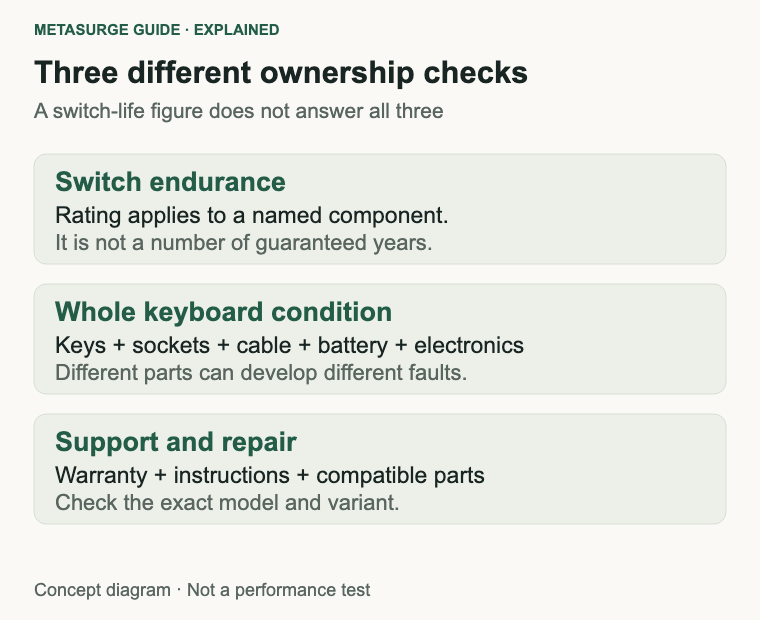
Separate three ideas: switch endurance, whole-board reliability and the period for which the manufacturer provides warranty or support. A long switch rating does not extend the warranty, guarantee software compatibility or promise that replacement parts will be available.
The rest of the keyboard can become the limiting factor first. A loose port may interrupt the connection even if every switch works. A worn keycap may be uncomfortable despite perfectly reliable input. A wireless keyboard may become inconvenient because of charging behaviour rather than contact wear.
When comparing replacements, ask what evidence supports the durability claims. Identify the switch model, check the manufacturer’s wording and look for clear service instructions. A repairable design can be more relevant to ownership than a larger isolated endurance number.
Keep perspective if your keyboard already works well. You do not need to estimate its remaining actuation budget or retire it because a newer switch has a bigger advertised figure. Normal behaviour and suitability for your daily work are more useful reasons to keep it.
Separate cosmetic wear from a real fault
Shiny keycaps, faded legends or a polished spacebar are visible signs of use. They do not by themselves show that the switches are approaching failure. If typing remains reliable and the surface still feels comfortable, cosmetic wear can be something you simply accept.
Replacement keycaps may refresh a usable board, but compatibility involves more than a familiar cross-shaped stem. Check layout, key sizes, stabilisers and profile. A set described as universal may omit the unusual right Shift key, bottom-row sizes or regional legends you need.
Input faults deserve a different response. Repeated letters from one press, missed presses or a key that sticks physically can interrupt work. Record which keys misbehave and whether the symptom is repeatable. A vague impression that the keyboard feels old is much harder to diagnose than a specific failing key.
Large keys need their own check because their stabilisers and keycaps affect movement. A rattling spacebar and an electrically repeating letter are not necessarily the same kind of fault. Avoid assuming that changing a switch will resolve every noise or feel problem.
Connection problems can look like keyboard wear. Several keys failing together, the whole board disconnecting or trouble limited to wireless use may point away from a single switch. Check whether the problem also appears with a supported wired connection, where available, before choosing a repair.
Battery runtime is another separate issue. Compare charging behaviour during a similar workload and connection mode, with similar lighting settings. A change in backlight use can affect the experience, so one short session is weak evidence of battery deterioration.
Consider the practical cost of the symptom. A cosmetic mark may not matter at all; occasional missed keys can be disruptive if you enter figures or rely on shortcuts. Your replacement threshold can reasonably depend on the work the keyboard needs to perform, rather than its age or appearance alone.
Write down the model, connection mode and exact symptom before contacting support. That record makes a warranty discussion or repair quote more useful and reduces the chance that you buy keycaps for what is actually a connection problem.
Make a few checks before buying parts
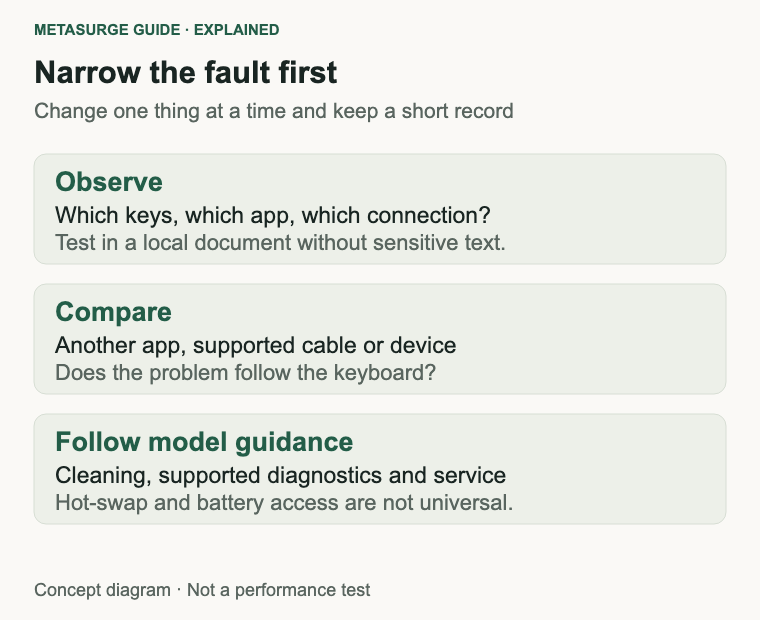
Begin with a plain text document and a small repeatable test. Press the affected key separately, type ordinary words that contain it and note whether extra or missing characters appear. Use a local document rather than entering sensitive material into an unfamiliar keyboard-test website.
Compare behaviour in another application. If the problem appears only in one programme, review that programme’s settings or shortcuts before blaming the hardware. Keyboard layout, remapping utilities and accessibility settings can also change what a key does without a physical failure.
For a detachable cable, try a known working compatible data cable and a direct connection to the computer if the manufacturer supports it. Some cables charge without carrying data, so the presence of power or lighting is not proof that the connection path is correct.
If convenient, try the keyboard on another compatible device. A fault that follows the keyboard is stronger evidence of a keyboard-side issue than one confined to a single application or computer. This still does not identify the exact failed component, but it narrows the next step.
For a wireless model, follow the manufacturer’s guidance for charge level, receiver placement, pairing and supported connection modes. Do not jump to opening the case because a receiver or Bluetooth connection is unreliable. Keep changes separate so that you know which adjustment affected the result.
Clean conservatively using the exact model’s instructions. Switch off or disconnect power as directed, remove loose debris gently and avoid pouring or spraying liquid into the keyboard. Do not assume removable keycaps or a cleaning method from another model apply to yours.
Firmware is not a routine cure for physical wear. Use only the manufacturer’s documented update for the exact model when it addresses a relevant problem, and preserve any settings the instructions require. An unrelated update can add work without helping the fault you are investigating.
If there has been a spill, a damaged connector or unusual battery behaviour, stop treating this as an ordinary switch-cleaning job. Ask the manufacturer or a suitable repairer for the next step. Repeatedly reconnecting a damaged device is not a useful diagnostic routine.
When repair makes sense
Repair is most attractive when the fault is limited, the rest of the keyboard suits you and the required part is both available and compatible. A replaceable keycap or cable is a different undertaking from a damaged board, and the cost comparison should reflect that difference.
Hot-swap sockets can make compatible switch replacement more accessible because the switch is intended to be removable without soldering. However, mechanical does not mean hot-swappable. Confirm that your exact variant supports it and read its instructions before pulling anything apart.
Compatibility remains important on a hot-swap keyboard. Mechanical, optical and magnetic switch systems are not interchangeable merely because their keycaps look similar. Low-profile designs and particular socket arrangements can introduce further constraints. Buy against the manufacturer’s explicit compatibility information.
Even a supported switch change is not proof that the switch caused the fault. A damaged socket or board trace may produce similar symptoms. If a carefully followed manufacturer diagnostic does not resolve the issue, stop buying successive sets of parts and seek a useful repair assessment.
A soldered-switch keyboard can sometimes be repaired, but the tools, skill and labour involved change the decision. For most buyers, a professional quote is a clearer basis for comparison than assuming that a cheap component means a cheap repair.
Check warranty or seller support before opening the case or modifying parts. Keep the purchase record and document the symptoms. The available remedy depends on the product, seller and circumstances; do not assume that a switch rating states the applicable warranty period.
Wireless battery replacement also needs model-specific information. A rechargeable battery is not automatically an owner-serviceable part, and an apparently similar replacement may differ in connector, protection or specification. Confirm an approved service path rather than treating it like swapping keycaps.
Ask a repairer what the quote covers, whether the part is available and what happens if the initial diagnosis is wrong. Compare the total cost and time without your keyboard with a replacement that actually meets your needs. There is no universal percentage at which repairing becomes the right answer.
When replacement is the better decision
Replacement becomes more reasonable when the fault keeps returning, several systems are affected, compatible parts are unavailable or the total repair burden is difficult to justify. The decision can also be practical: a reliable keyboard that cannot meet your current layout or connection needs may no longer be the right tool.
Define the problem the new keyboard must solve. If you need a number pad, quieter typing or a simpler connection routine, write that down alongside reliability. Otherwise, it is easy to replace an ageing board with a new one that repeats the same everyday frustration.
For longevity, look beyond the case material. Check whether the cable is replaceable, whether keycaps use obtainable sizes, whether switches are serviceable and whether the manufacturer provides clear documentation. A heavy case is not evidence that every internal part will be easy to repair.
Choose wireless features deliberately. A keyboard used permanently at one desk may not need them, while multi-device switching can be valuable for another setup. Consider how charging, receiver availability and supported wired operation fit your routine rather than assuming extra connection modes always improve ownership.
Try the layout and key feel when possible. A long theoretical service life is not helpful if the keys are tiring or the spacing disrupts your normal work. Familiarity also has value: a working keyboard that fits your hands does not need replacement just to acquire a fashionable switch type.
Keep a working older keyboard as a spare only if you can store it sensibly and it remains useful. If you retire one, remove personal settings where appropriate and use a suitable local electronics recycling or reuse route. Check rechargeable-device handling instructions rather than putting it into ordinary rubbish.
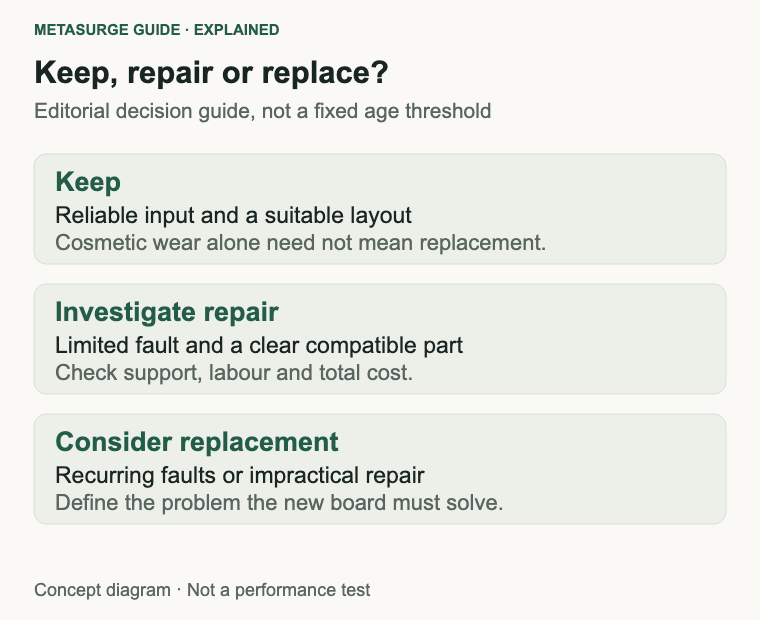
The practical rule is straightforward: keep reliable and suitable equipment; investigate a specific fault; repair when the path is clear; replace when that path no longer serves the job. That approach responds to the condition of your keyboard instead of an invented expiry date.
Frequently asked questions
How many years should a mechanical keyboard last?
There is no dependable universal figure. Usage, design, environment and serviceability vary. A working board can remain useful beyond its warranty period, while a specific component may need attention earlier. Assess condition and support rather than choosing a calendar deadline.
Does a 100-million-keystroke rating cover the whole keyboard?
No. Read the exact manufacturer statement. A rating for a named switch does not establish the life of the battery, cable, socket or complete keyboard, and it is not a guaranteed number of years.
Can every mechanical keyboard have its switches replaced easily?
No. Hot-swap support and switch compatibility depend on the exact model and variant. Soldered models involve a different repair process. Removable keycaps alone do not establish removable switches.
Should shiny keycaps make me replace the keyboard?
Usually that is a cosmetic decision. If input is reliable and the surface remains comfortable, keeping it is reasonable. A compatible replacement keycap set may be an option if the appearance or feel bothers you.
Relevant examples to explore
Editorial examples, separate from Best Sellers rankings. Within each group, products are ordered by Amazon Best Sellers position captured 17 October 2026; positions can change.
As an Amazon Associate MetaSurge Guide earns from qualifying purchases. Check current details, price and availability on Amazon before buying. Country detection by DB-IP.
Sources and editorial approach
Component-rating context comes from CHERRY’s named switch specification. Cleaning principles were checked against Logitech’s guidance, with exact-model instructions taking precedence. Sources were checked on 15 October 2026. The diagnosis and ownership checklist is editorial reasoning, not a measured lifespan study or a claim of hands-on repair testing.
Where to go next
Explore the Keyboards guide after identifying the fault or requirement you need to address. Use the separate examples to examine layout, connection and repair features, and confirm the exact variant before buying parts or a replacement.