
There is no correct mouse weight. A lighter mouse is easier to start and stop, which can help when you make large, quick movements. A heavier mouse can feel steadier and less twitchy, especially for small precise movements. The right choice depends on your grip, hand size, desk space and the way you use the mouse.
The two examples in this guide sit at 85 grams and 99 grams, which is a useful reminder that “light” is relative. A 99-gram wireless mouse can feel balanced and stable, while an 85-gram wired mouse can feel quick. Neither is better in general. What matters is whether you can control the mouse comfortably for the work you do.
What mouse weight changes
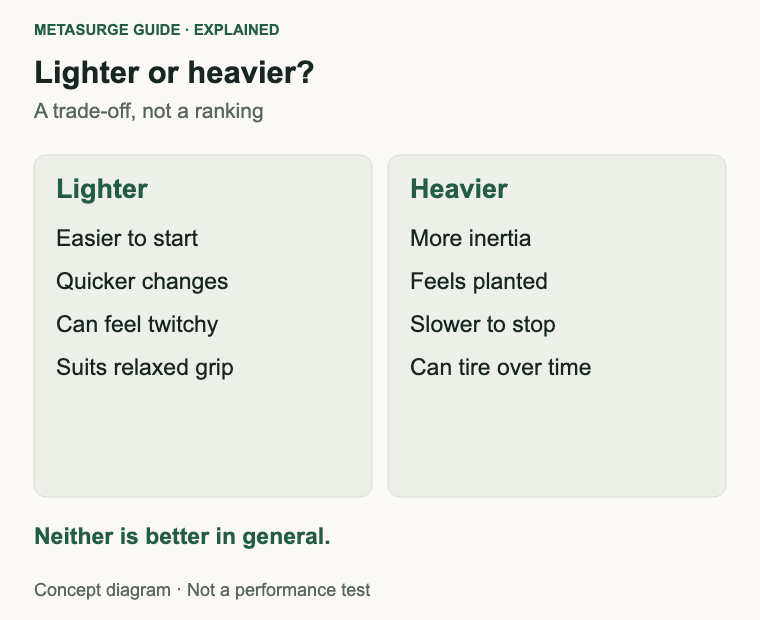
Weight affects inertia. A heavier mouse takes more force to accelerate and more effort to stop, so quick direction changes can feel slower. A lighter mouse responds to smaller inputs and can feel more agile, particularly when you move it across a wide mouse mat.
Weight also affects stability. A heavier mouse can resist small accidental movements and feel planted during precise clicks. A lighter mouse can feel twitchy if your hand is tense or your sensitivity is very high. Neither effect is universal; hand strength, grip and surface friction all change the result.
The sensation of weight is not only the number on the specification. Balance matters: a mouse that is heavy at the back feels different from one that is heavy at the front. A wireless mouse with a battery near the rear can feel differently balanced from a wired mouse with a light cable. Cable drag also adds resistance, especially on a cloth mat.
Long sessions matter too. A mouse that feels fine for ten minutes can become tiring over a working day, and a very light mouse can feel insubstantial if you prefer feedback. There is no medical rule here; comfort and control are personal.
Weight also interacts with grip pressure. A tense grip can make a light mouse feel unstable, while a relaxed grip can make a heavier mouse feel slow. If you notice yourself squeezing the mouse to control it, the shape or sensitivity may be a bigger issue than the mass. A mouse should let your hand stay relaxed rather than asking you to clamp it to the desk.
Match weight to your grip and hand
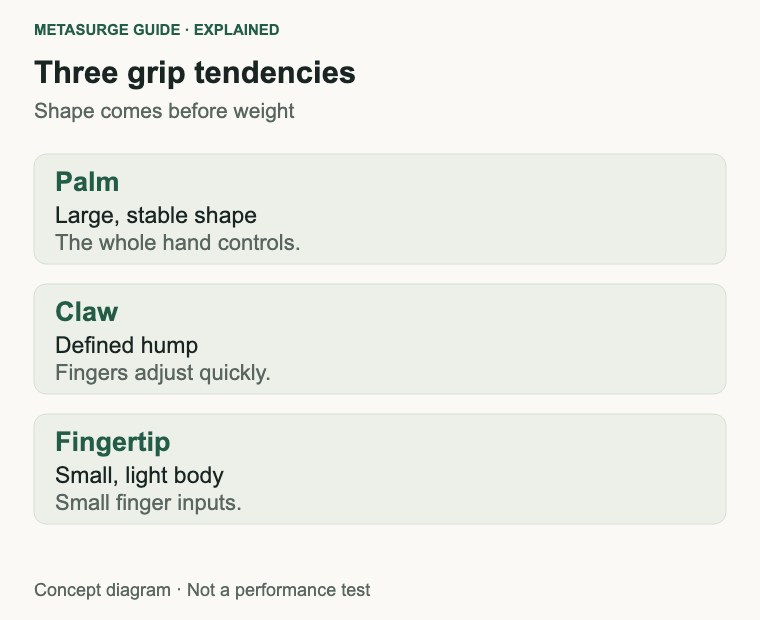
Grip style is a useful starting point. In a palm grip, the hand rests over the mouse and the fingers are relatively flat. This grip can suit a larger, stable mouse because the whole hand contributes to control. A lighter mouse can still work, but the hand may need to dampen its own movement.
A claw grip arches the fingers and uses the fingertips and the base of the palm. It can suit a mouse with a defined hump and a moderate weight, because the fingers can make quick adjustments while the palm steadies the body. A very light mouse can feel agile here, but it can also feel less planted.
A fingertip grip contacts the mouse mainly through the fingertips. It tends to favour a smaller, lighter mouse that can be moved with small finger inputs. A heavy mouse can feel sluggish in this grip, especially during rapid direction changes, but some people prefer the extra stability for precise clicks.
Hand size changes the picture. A large hand on a small mouse may end up in a fingertip grip whether or not that was intended, and a small hand on a large mouse may struggle to reach the front buttons. Weight cannot fix a shape mismatch. If the mouse does not fit your hand, a different weight will only change how the mismatch feels.
Grip pressure is another variable. If you hold the mouse tightly, a light body may feel twitchy and a heavier one may feel more controlled. If your hand is relaxed, a light mouse can feel responsive without extra effort. Notice how you hold the mouse before deciding that weight is the problem.
Hand length and width matter as much as the grip label. A mouse that is too short can leave your palm unsupported, and one that is too narrow can force your fingers into an awkward position. If the mouse fits, weight becomes a preference; if it does not, changing weight will not solve the discomfort.
Consider shape, balance and surface
Shape decides how your hand sits, where your fingers rest and how much of the mouse you can move without repositioning. A mouse that fills your palm supports a relaxed grip; a lower, narrower mouse can suit fingertip control. Weight is secondary to a shape that lets you reach the buttons and move the mouse without strain.
Balance is easier to feel than to measure. A mouse with most of its mass near the centre feels predictable, while one with a battery at the back can feel tail-heavy. If you use a wireless mouse, check where the battery sits and whether a different battery type changes the balance. Some models accept an optional weight, which lets you experiment.
Surface friction changes the effort required. A cloth mat has more resistance than a hard pad, and worn mouse feet add drag. A heavier mouse on a high-friction surface can feel much heavier than its specification suggests. Clean the feet and try a suitable surface before blaming the mouse’s weight.
Cable drag is part of the same equation for wired mice. A stiff cable or a poor routing can make a light mouse feel heavier and less predictable. A cable with some slack, or a bungee that keeps it off the desk, can change the feel without changing the mouse.
Mouse feet and pad material are easy to ignore. Worn feet increase friction, and a slick hard pad can make a light mouse feel faster than the same mouse on cloth. If you change the surface, reassess the weight rather than assuming the mouse has become harder to control.
Adjust sensitivity before buying lighter
Sensitivity settings change how far the pointer moves for a given hand movement. If the pointer feels too fast or too slow, adjust the pointer speed or the mouse’s DPI/CPI setting before assuming that a different weight is the answer. Microsoft’s mouse settings in Windows include a pointer-speed slider and an Enhance pointer precision option, both of which affect how movement is interpreted.
For games, in-game sensitivity and DPI work together. Changing one without adjusting the other can make the mouse feel completely different, even though its physical weight has not changed. Make one change at a time and test it in the same scenario so you can tell what actually helped.
Pointer acceleration is worth checking as well. Enhance pointer precision changes how the pointer responds to speed, which can make a mouse feel inconsistent if you are used to a linear response. Turn it off or on deliberately, then test again, rather than leaving it as an accidental setting.
Desk space sets a practical limit. A low-sensitivity setup needs a large movement area, which may favour a lighter mouse because you have to move it further and more often. A high-sensitivity setup with a small desk may suit a heavier mouse that resists accidental movement. Neither is a rule; it is a trade-off between space and control.
If you are experimenting, keep a note of your settings. It is easy to lose track of the DPI, pointer speed and in-game sensitivity you were using, and then attribute the difference to the new mouse when the settings changed.
Choose a weight you can control all day
Try the mouse before committing if you can. Hold it, move it on a surface similar to yours and click the buttons in the positions you use. A store display is not your desk, but it is better than choosing from a number alone. If you buy online, check the return policy.
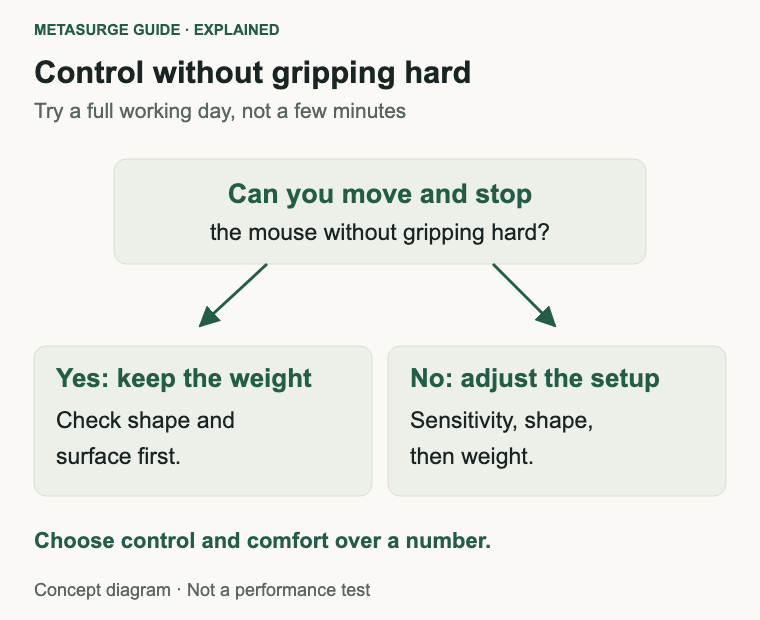
Give a new mouse more than a few minutes. Use it for a full working day or a long game session, because fatigue and small discomforts appear slowly. A mouse that feels wonderful in a shop can become tiring after an hour if the shape or weight does not suit your hand.
Decide whether you want adjustable weight. Some mice include removable weights or a weight-tuning system, which lets you test preferences without buying multiple mice. The downside is complexity and, sometimes, a heavier base body. Adjustable weights are a convenience, not a requirement.
Think about the whole setup. A light mouse with a stiff cable, a worn mat and a cramped desk may feel worse than a heavier mouse with good ergonomics. Shape, surface and sensitivity often matter more than a few grams, especially for office work.
The two examples show the trade-off rather than a ranking. The Logitech G203 is a wired mouse documented at 85 grams. The Logitech G305 is a wireless model documented at 99 grams, with a receiver and battery arrangement. They differ in connection and shape as well as weight, so you cannot treat the comparison as a controlled test of mass.
If you are unsure, start with a shape that fits your hand and a weight you can move without gripping hard. A mouse that lets your hand stay relaxed is usually a better long-term choice than one that matches someone else’s preferred number.
Frequently asked questions
Is a lighter mouse always better?
No. A lighter mouse can be quicker to move, but it can also feel twitchy if your grip or sensitivity is high. A heavier mouse can feel steadier for precise work. The right weight depends on your hand, grip and desk.
What mouse weight should I choose?
There is no universal figure. Start with a shape that fits your hand, then choose a weight that lets you move and stop the mouse without gripping hard. Try before buying where possible.
Do adjustable weights actually help?
They let you test different feels with one mouse. That can be useful if you are unsure, but the base shape and balance still matter more than the ability to add a few grams.
Does DPI change how heavy a mouse feels?
Not physically. DPI changes how far the pointer moves for a given hand movement, which changes how much you move your arm or wrist. That can make a mouse feel faster or slower, but the mass is unchanged.
Relevant examples to explore
Editorial examples, separate from Best Sellers rankings. Within each group, products are ordered by Amazon Best Sellers position captured 17 October 2026; positions can change.
As an Amazon Associate MetaSurge Guide earns from qualifying purchases. Check current details, price and availability on Amazon before buying. Country detection by DB-IP.
Sources and editorial approach
This guide uses Logitech’s G203 documentation and G305 documentation for the documented 85 g and 99 g figures, plus Microsoft’s mouse settings guidance for pointer speed and Enhance pointer precision, checked on 17 October 2026. Weight figures are manufacturer specifications, not MetaSurge measurements. Grip descriptions are general, and no injury-prevention claim is made.
Where to go next
Browse the Mice guide to compare shapes, connections and documented weights. Choose a mouse that fits your hand and lets you work comfortably, rather than chasing the lowest number.