
There isn’t a dependable fixed number of years that covers all true wireless earbud batteries. Keep a pair that still lasts through your normal listening, investigate a sudden change, and consider service or replacement when reliably shorter runtime no longer meets your needs.
Battery lifespan is different from playback time on one charge. Rechargeable batteries can lose capacity as they age, while settings, calls, charging contact and temperature can also change the runtime you observe. A shorter session isn’t automatically proof that the cells are worn out.
Start by checking whether both earbuds actually charged and whether you’re comparing similar use. Then assess the manufacturer’s service options for the exact model. A new pair is one possible answer, not the compulsory first response to a disappointing battery reading.
Separate runtime, case capacity and long-term ageing
Single-charge runtime describes listening before an earbud needs recharging. A combined case figure includes additional charging from the case. It doesn’t mean the earbuds will play continuously for that entire total without returning to the case.
Read the conditions behind a runtime claim. Noise cancellation, calls, volume, connection features and other processing can affect power use. A music-only test with one mode isn’t directly comparable with a day of meetings and device switching.
The case has its own battery and charging behaviour. If it hasn’t charged properly, the earbuds may begin the next session with less energy than you expect. That can look like poor earbud endurance even though the initial charge was the relevant problem.
Long-term ageing is another issue. Apple’s explanation of lithium-ion chemistry describes how maximum capacity can decline with chemical age. That general principle is useful, but a phone-specific cycle target or service threshold should not be transferred to every pair of earbuds.
Calendar age alone is a weak replacement rule. Use, storage, charging behaviour and design vary, and the advertised listening hours don’t specify how many years those hours will remain available. A warranty period is also a different thing from a guaranteed battery lifespan.
| Figure or observation | What it describes |
|---|---|
| Runtime on one charge | Listening before the earbuds need charging |
| Combined total with case | Additional sessions supported by the case |
| Case battery reading | Energy remaining in the charging case |
| Shorter comparable sessions over time | A reason to investigate capacity and service |
| Product age in years | Context, not a universal expiry date |
Focus on the requirement that matters to you. A pair that still covers your journey can remain useful even if it no longer matches its original runtime. A pair that repeatedly stops halfway through an essential call may need attention much sooner.
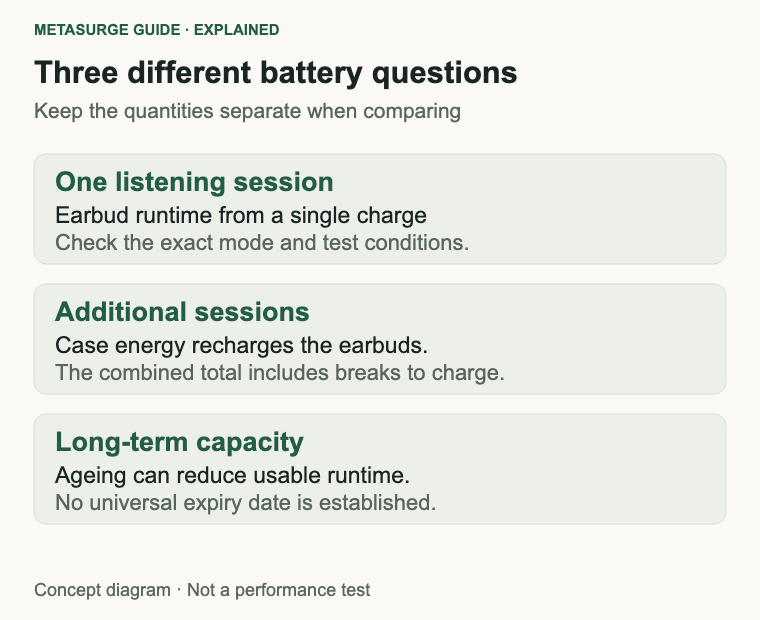
Compare battery behaviour under similar conditions
Choose a representative listening session and record the starting charge, enabled modes and approximate duration. Use ordinary comfortable settings. You don’t need to run the earbuds down repeatedly to prove that their battery is ageing.
Keep the comparison similar: the same source, broadly similar listening level and the same noise-control mode where practical. A change from music to frequent calls can make the result different without establishing a physical defect.
Check which features are enabled. Manufacturer troubleshooting may suggest comparing particular modes or disabling optional functions temporarily. Follow the exact model’s guidance rather than assuming a setting available on another pair will apply to yours.
Separate a one-off short session from a repeatable pattern. An interrupted charge, forgotten case recharge or different workload can explain an isolated result. A few consistent observations are more useful than a single disappointing afternoon.
Don’t treat the phone’s battery percentage display as a laboratory capacity measurement. It reports the device’s estimate of remaining charge. Large or inconsistent changes are worth recording for support, but they don’t by themselves tell you how much chemical capacity has been lost.
Check the left and right readings separately if the product exposes them. Different behaviour between the two earbuds doesn’t automatically prove that one cell is defective. First establish whether both charged properly and whether the difference persists under a comparable session.
Use the manufacturer’s reference test as a guide to conditions, not a promise that your personal use must match the headline exactly. Product support information can specify which features and listening modes affect its own runtime.
Then ask whether the difference changes what you can do. A repeatable reduction that prevents normal use is a practical reason to investigate service. A small change that doesn’t affect your routine may simply be something to monitor while you keep using the pair.
Check charging, contacts and unequal drain
Confirm that the case itself receives power through a supported cable and charger. Check the product’s indicators and instructions rather than assuming a connected cable proves the case is charging correctly.
Seat each earbud as directed and look for the documented charging indication. A tip that prevents the unit from sitting properly, debris around a contact or a case that hasn’t closed as intended can affect the next session.
Clean only by the exact model’s instructions. Methods and permitted materials can differ. Avoid transferring a solvent recommendation from another device, scraping a contact with a metal tool or introducing liquid into a charging recess.
If you fitted replacement tips, confirm that they remain compatible with the case. A tip can feel comfortable in your ear yet interfere with the charging position. This is a fit-and-contact check, not evidence that the battery itself needs replacing.
Check whether the earbuds disconnect or enter their intended state when returned to the case. A unit that remains active can use power between sessions. Follow the manufacturer’s documented troubleshooting if the case isn’t registering it properly.
For unequal drain, compare starting charge and ordinary use before assuming equal runtime is mandatory. Record which side stops first, how large the difference appears and whether it happens repeatedly. Give support the pattern rather than an unsupported diagnosis.
A documented reset or firmware update may address a recognised connection or reporting issue. It can’t restore capacity that has been lost through chemical ageing. Preserve required settings and use the procedure for the exact model rather than a generic button sequence.
If the case or earbuds show physical damage, unusual heating or other abnormal behaviour, stop the routine battery test and seek manufacturer advice. Don’t try to revive a sealed battery by heating, freezing, puncturing or repeatedly forcing charging.
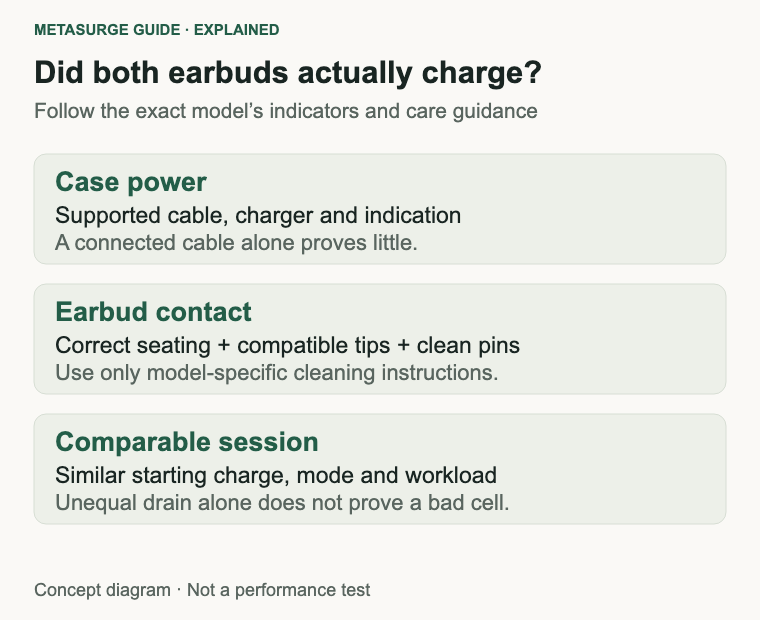
Use practical care and model-specific service advice
Follow the manufacturer’s charging, cleaning, operating-temperature and storage instructions. The useful principle is ordinary care within the product’s supported conditions, not a complicated charging ritual based on another device’s battery.
Avoid leaving the equipment in places that become very hot, such as a parked car in the sun. Apple’s AirPods guidance distinguishes temporary cold-related runtime changes from possible lasting effects of excessive heat. Read your own model’s limits rather than applying AirPods’ numbers universally.
If the earbuds or case are wet, follow their drying and charging instructions before connecting power. A water-resistance claim doesn’t automatically cover charging while wet, every type of exposure or the case as well as the earbuds.
There is no need to deliberately run the cells flat as a general rejuvenation method. A manufacturer’s specific diagnostic may ask for particular steps, but deep discharge isn’t a universal cure for lost capacity. Use a normal charging routine that keeps the equipment ready for your needs.
For long storage, use the exact product’s guidance on charge state and periodic checks. Don’t assume that an unused pair can remain in a drawer indefinitely without attention. Check the condition before bringing it back into regular use.
Ask what battery service actually means for the model. A service programme may replace a unit or assembly rather than expose a cell for an owner to swap. The fact that a product contains a rechargeable battery doesn’t establish an easy user-replacement procedure.
Compare availability, total cost and what is returned after service. If a single earbud or case is being replaced, compatibility and configuration can matter. A matching-looking second-hand component isn’t automatically a supported replacement.
Keep purchase records and the serial or model information available. They help the seller or manufacturer identify the correct support route. Don’t infer a universal free service entitlement from another brand’s coverage terms or a battery threshold described for another product.
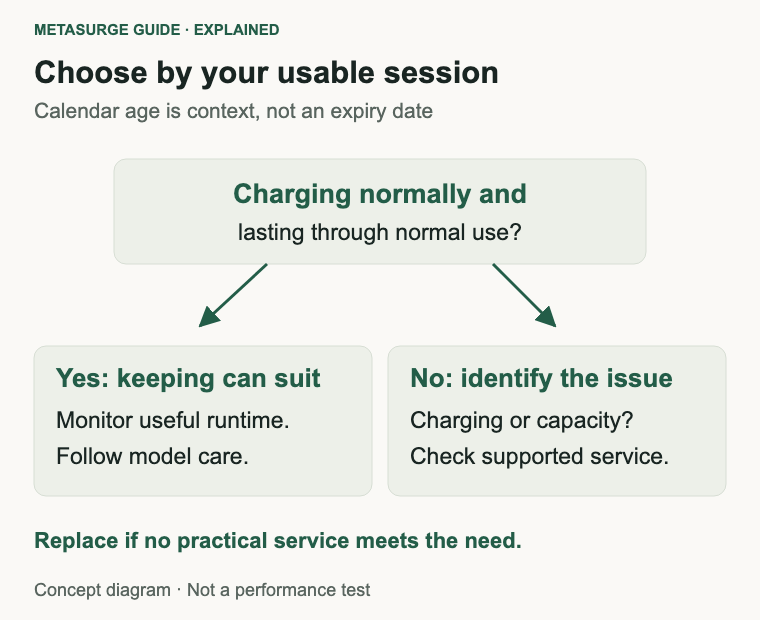
Choose when keeping, servicing or replacing makes sense
Keep using the pair when it charges normally, behaves consistently and still covers your ordinary sessions. You can notice some reduction from the original runtime without needing to replace an otherwise suitable product immediately.
Seek service when charging fails, one side behaves persistently differently or comparable sessions have become too short for normal use. A useful support record includes settings, starting readings, charging indications and the approximate time to the problem.
If the product still has relevant seller or manufacturer support, check that path before opening anything. Sealed earbud batteries are not a routine keycap-style replacement. Use an appropriate trained service route rather than turning a troubleshooting article into a disassembly guide.
A paid service can make sense if the rest of the pair suits you and the expected result addresses the problem. Compare the complete service cost and interruption with a suitable new pair, including any conditions attached to the repair or replacement unit.
Replacing becomes more reasonable when no practical service exists, the result no longer meets the job or other faults make retaining the pair difficult to justify. You don’t need to wait until a battery holds no charge at all.
For a replacement, compare single-charge runtime under the mode you intend to use. Check calls and ANC conditions separately where the manufacturer provides them. A large combined case figure won’t help if your main requirement is one long uninterrupted session.
Look at support and compatible replacement parts alongside listening features. A more expensive purchase doesn’t guarantee an owner-serviceable battery, while an affordable pair can still be suitable if its documented performance and ownership arrangements meet your needs.
If you retire the equipment, use a suitable electronics and battery recycling route and follow any account-removal instructions relevant to the product. Keep a still-useful pair as a spare only if its condition is suitable and you can maintain it sensibly.
Frequently asked questions
Do all true wireless earbuds need replacing after two or three years?
No universal interval is supported here. Assess charging behaviour, comparable runtime, service options and your actual needs. Calendar age provides context, but it doesn’t establish a fixed expiry date.
Does the case’s advertised total mean continuous playback?
No. Combined runtime includes additional charging from the case. Check the earbuds’ single-charge figure and its test conditions for an uninterrupted journey, work session or other long use.
Does one earbud draining first prove a battery fault?
Not by itself. Check whether both started charged and repeat the comparison under similar conditions. Persistent or large differences deserve model-specific support, particularly when one unit isn’t charging as expected.
Can a reset restore an aged battery?
A supported reset can address some settings, connection or reporting problems. It doesn’t reverse chemical capacity loss. Diagnose the behaviour first and avoid treating repeated resets as a substitute for service.
Relevant examples to explore
Editorial examples, separate from Best Sellers rankings. Within each group, products are ordered by Amazon Best Sellers position captured 17 October 2026; positions can change.
As an Amazon Associate MetaSurge Guide earns from qualifying purchases. Check current details, price and availability on Amazon before buying. Country detection by DB-IP.
Sources and editorial approach
This guide uses Apple’s battery-service overview, its explanation of chemical ageing, AirPods temperature guidance and manufacturer troubleshooting for P30i runtime and Liberty 4 Pro charging, checked on 16 October 2026. Brand-specific temperature limits, phone cycle targets and service thresholds are not generalised. Scenarios are editorial reasoning, not measured battery-lifespan tests.
Where to go next
Use the In-Ear Headphones guide if your checks identify a replacement need. The separate examples illustrate model-specific charging and runtime information; confirm current service options and your required listening mode before buying.